Guide
How to use ETSIN FLO
Simple instructions for everyday users.
Part 1 — In the ETSIN FLO app
Open ETSIN FLO
Sign in with your phone number and password.
New users tap Sign Up.
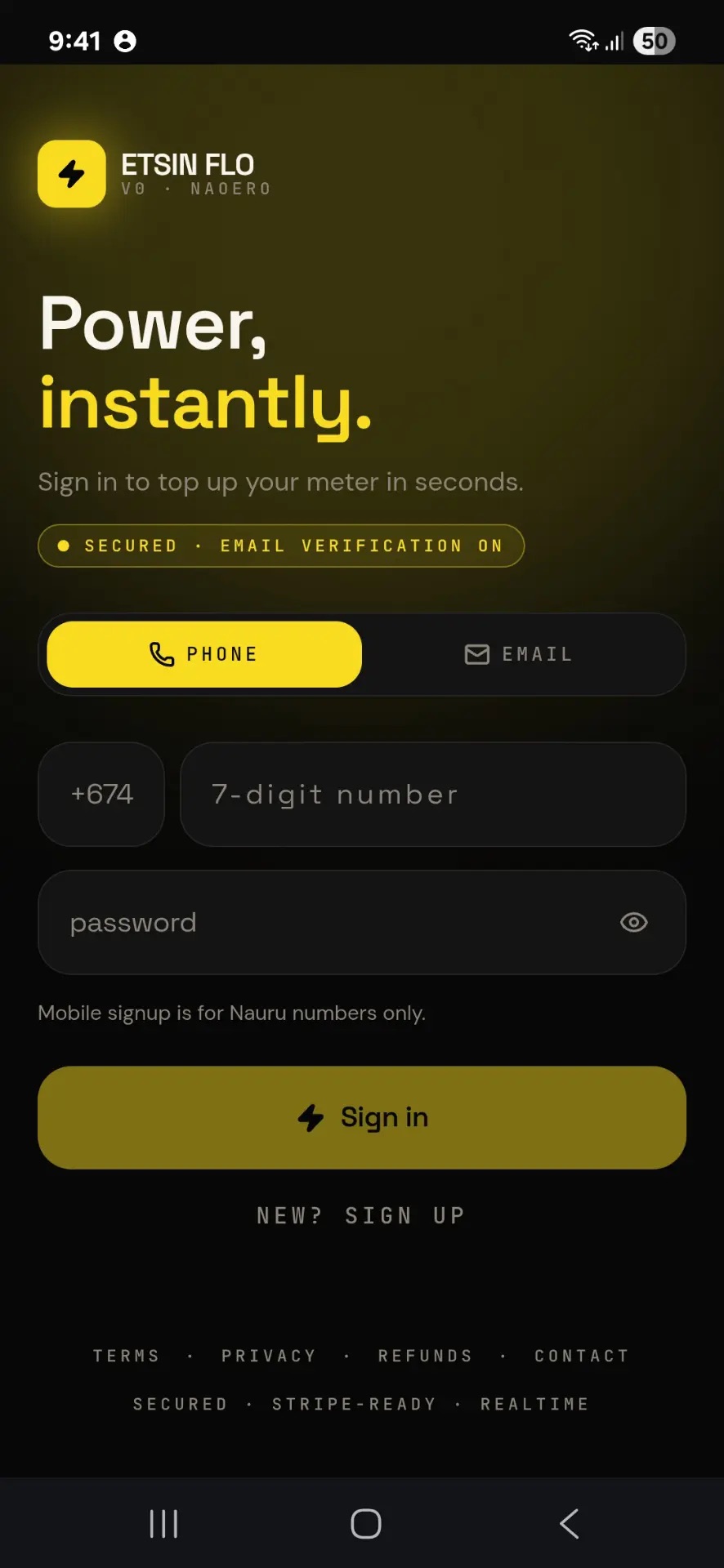
Add Your Meter
Tap the Add Your Meter First card.
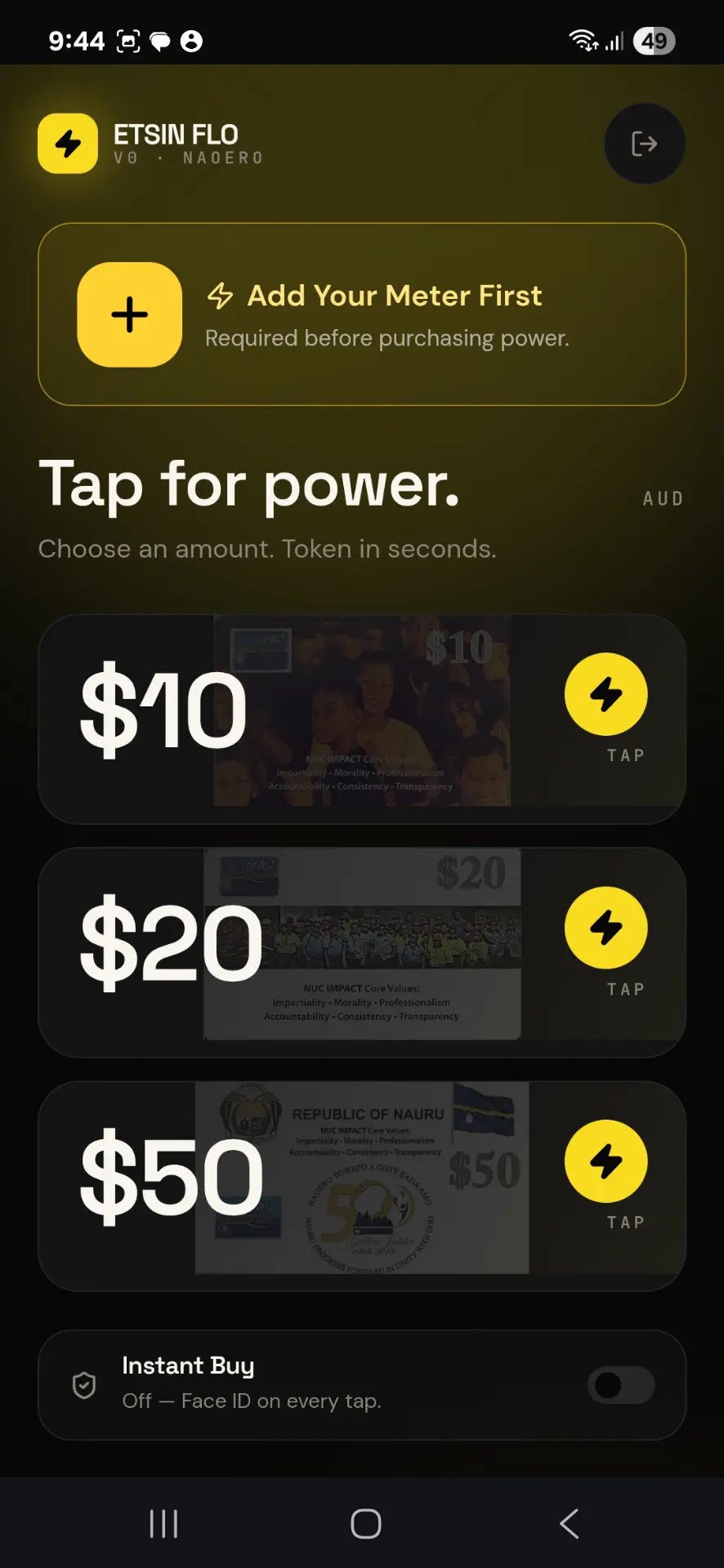
Save Meter
Type your meter number, give it a nickname, then tap Save meter.
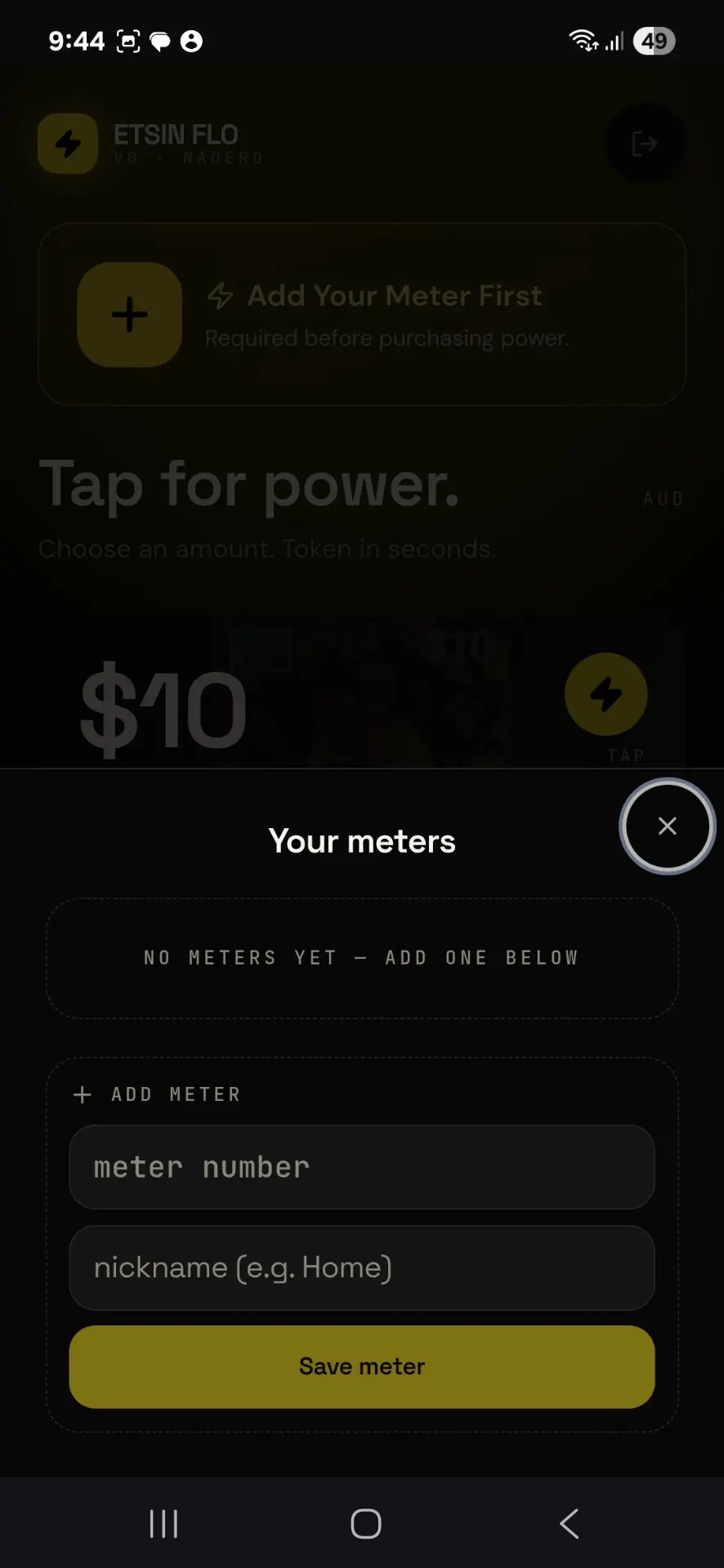
Pick Amount
Choose $10, $20 or $50, then tap the yellow lightning button.
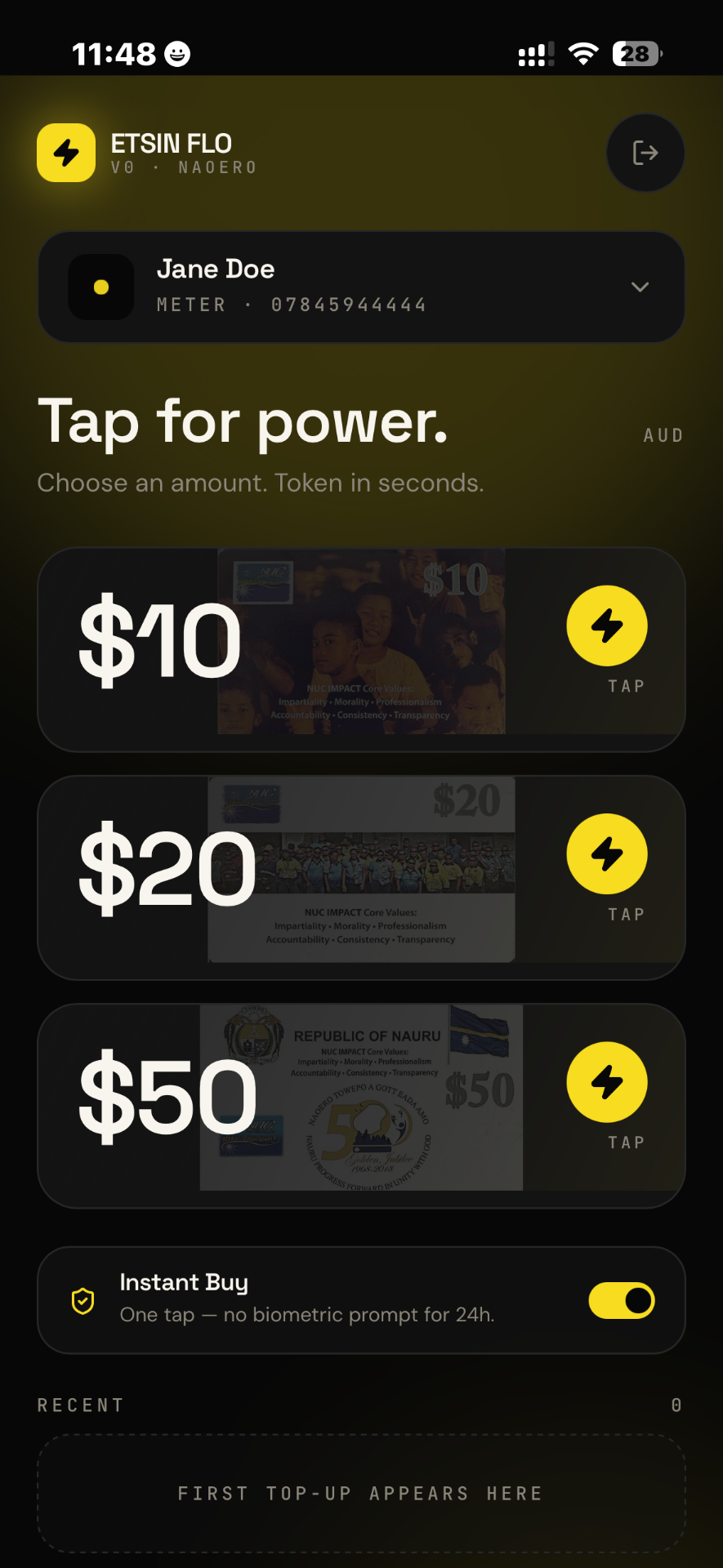
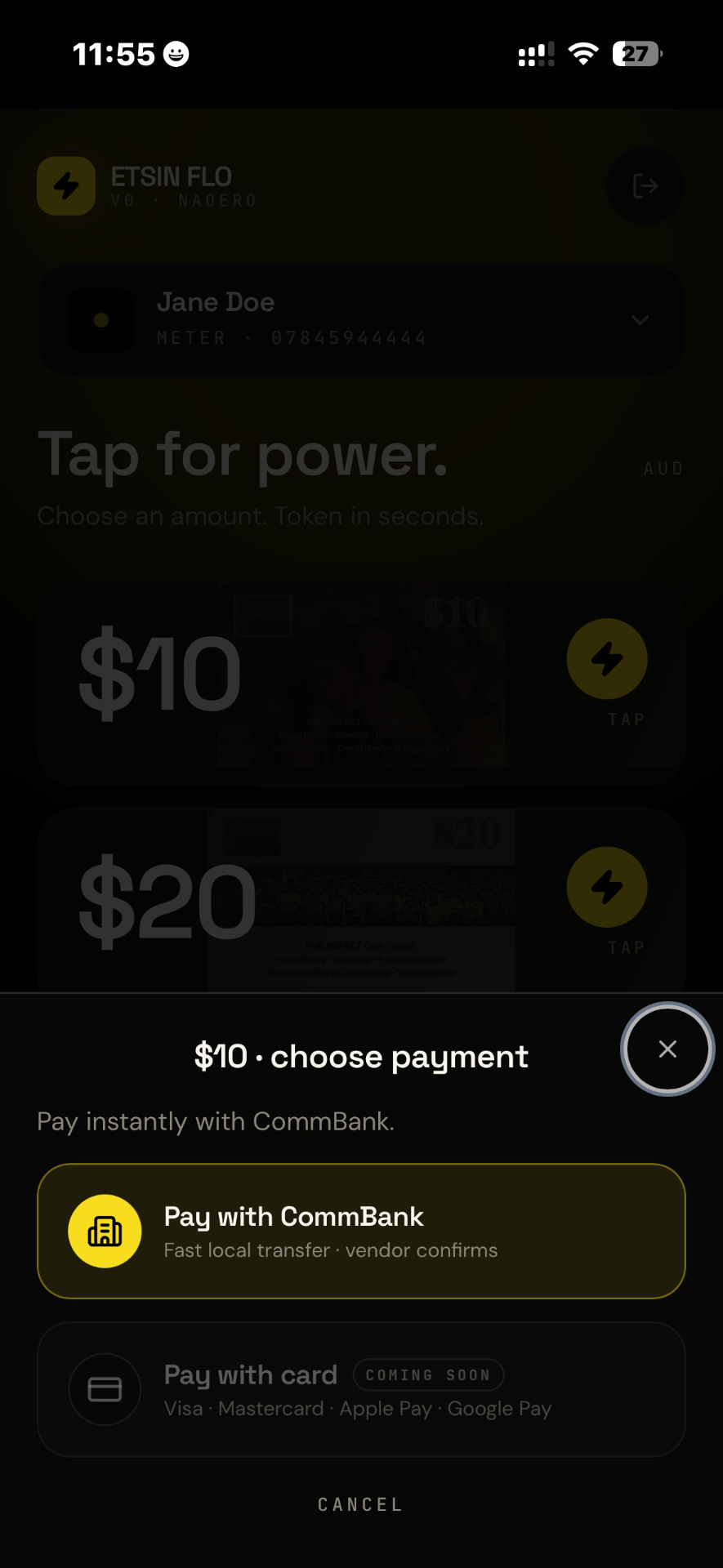
Pay with CommBank
Tap Pay with CommBank.
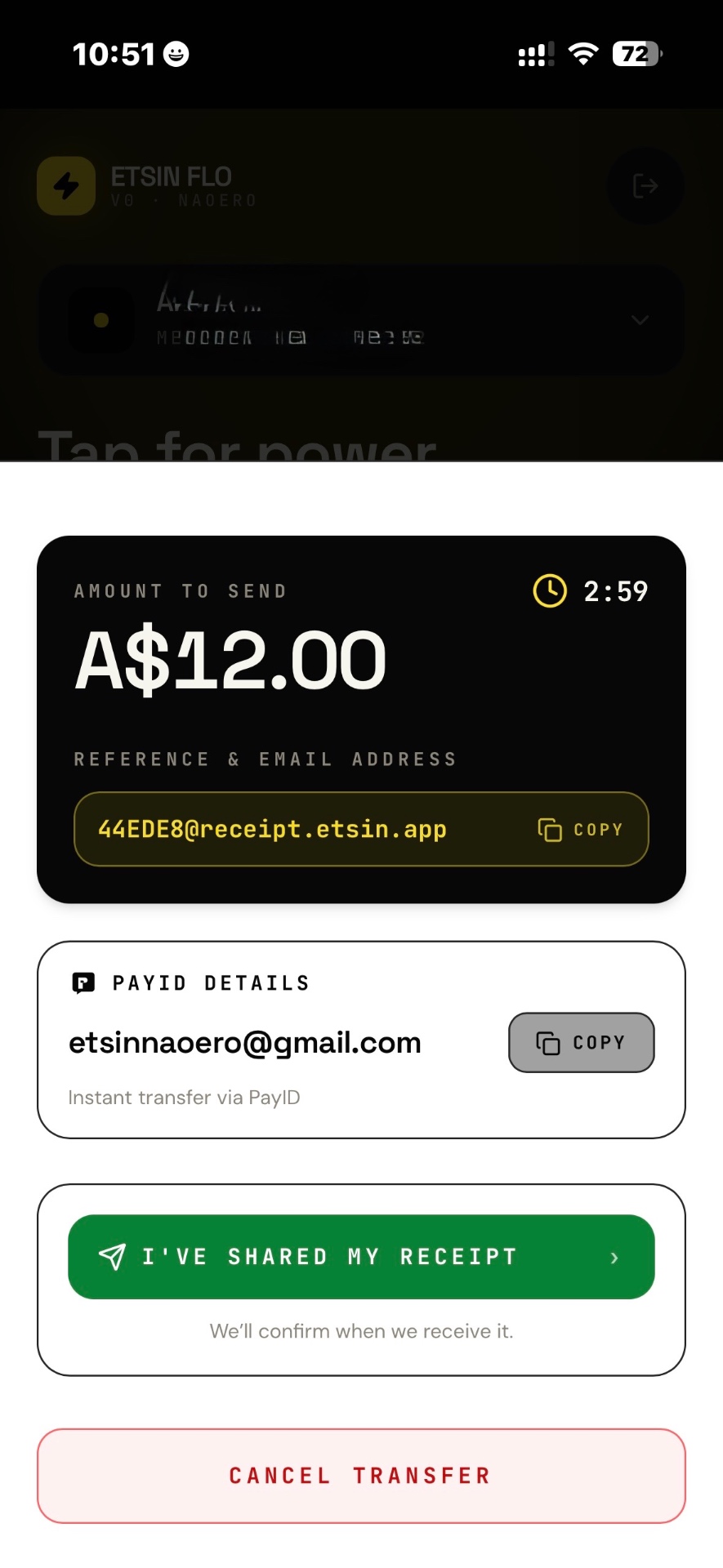
Copy Reference & Email
Copy the amount, reference and receipt email before leaving the app.
Changed your mind?
Customers can:
- Cancel transfer
- Choose another amount
- Start again
Part 2 — Inside Commonwealth Bank
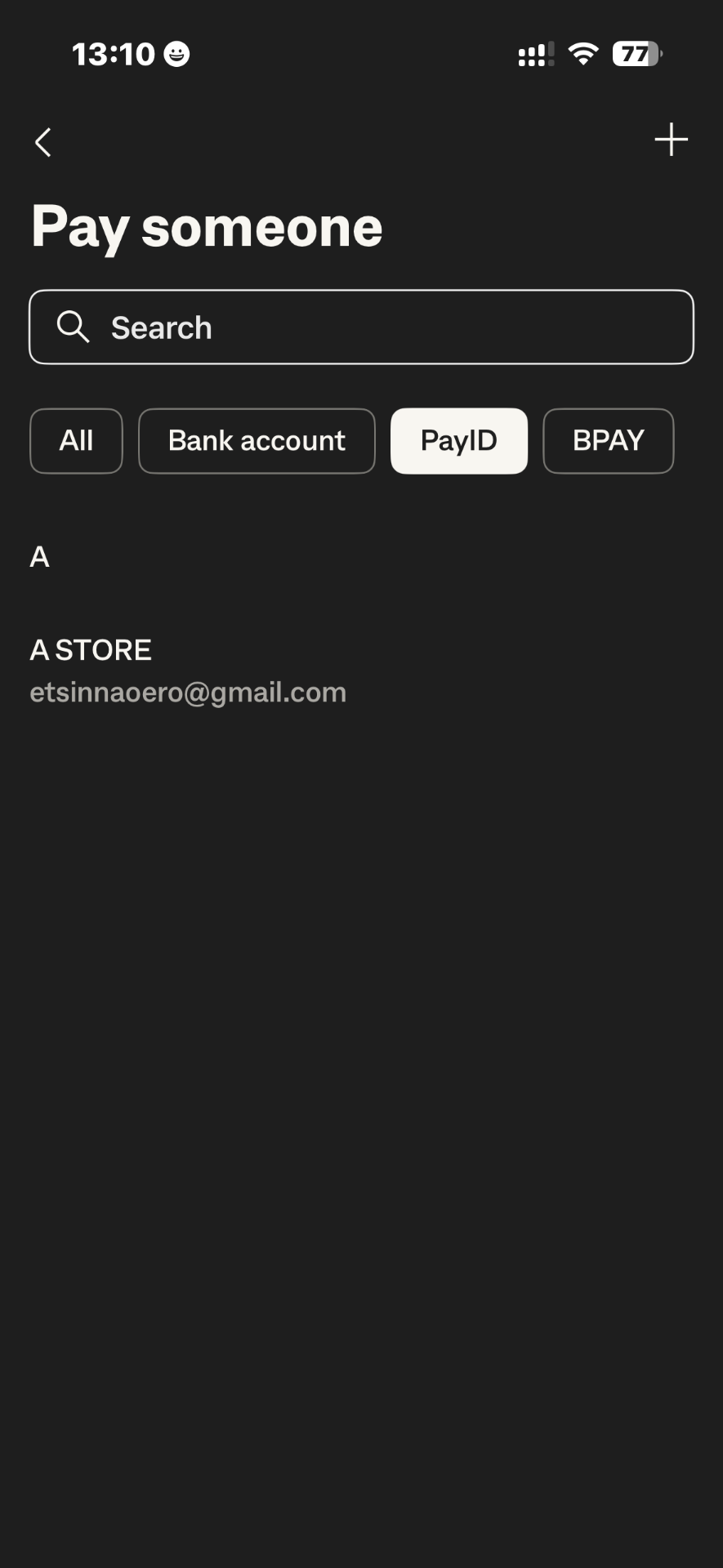
Open CommBank and Select PayID
Open CommBank and tap “Pay Someone”. Select the PayID tab.
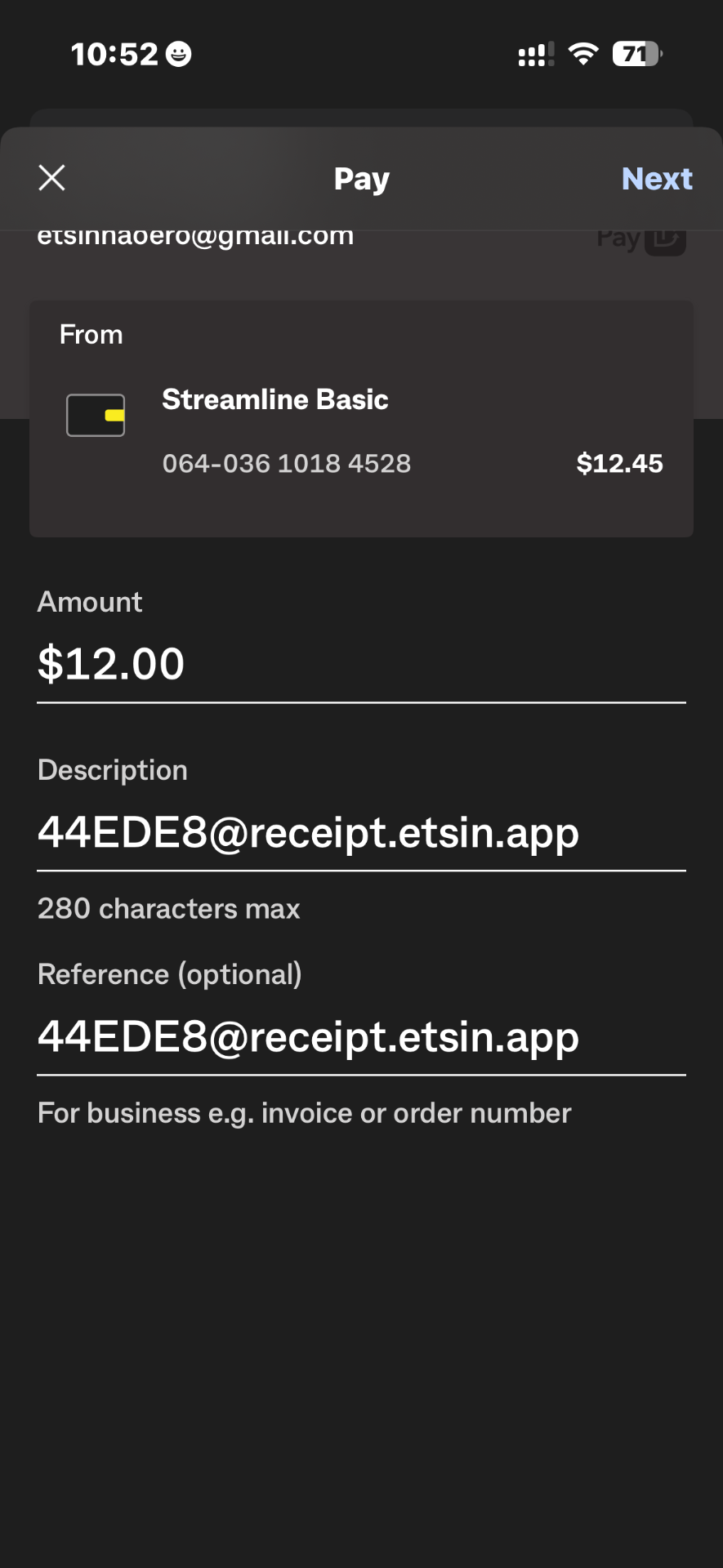
Input Amount and Paste Reference
Enter the payment amount shown in ETSIN FLO and paste your unique payment reference into the Description field. Ensure the receipt email address remains in the Reference field.
Make Payment & Share Payment Receipt by Email
After reviewing the payment details, tap Pay. Once the payment is successful, tap Share and select Email to send the receipt to ETSIN FLO.
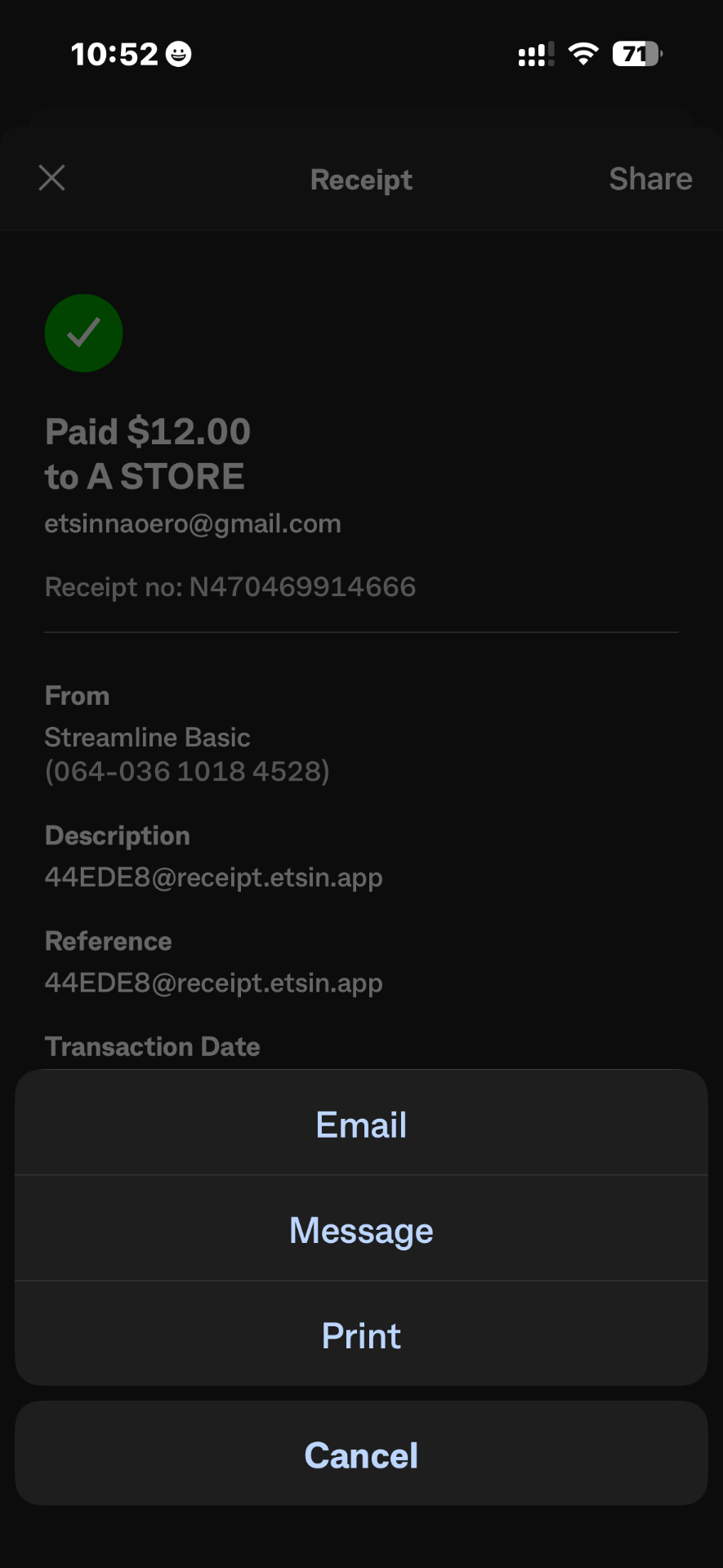
Share Payment Receipt by Email
Review the email before sending. Ensure the unique receipt email address from ETSIN FLO is already in the “To” field, then tap the send button to submit your payment receipt.
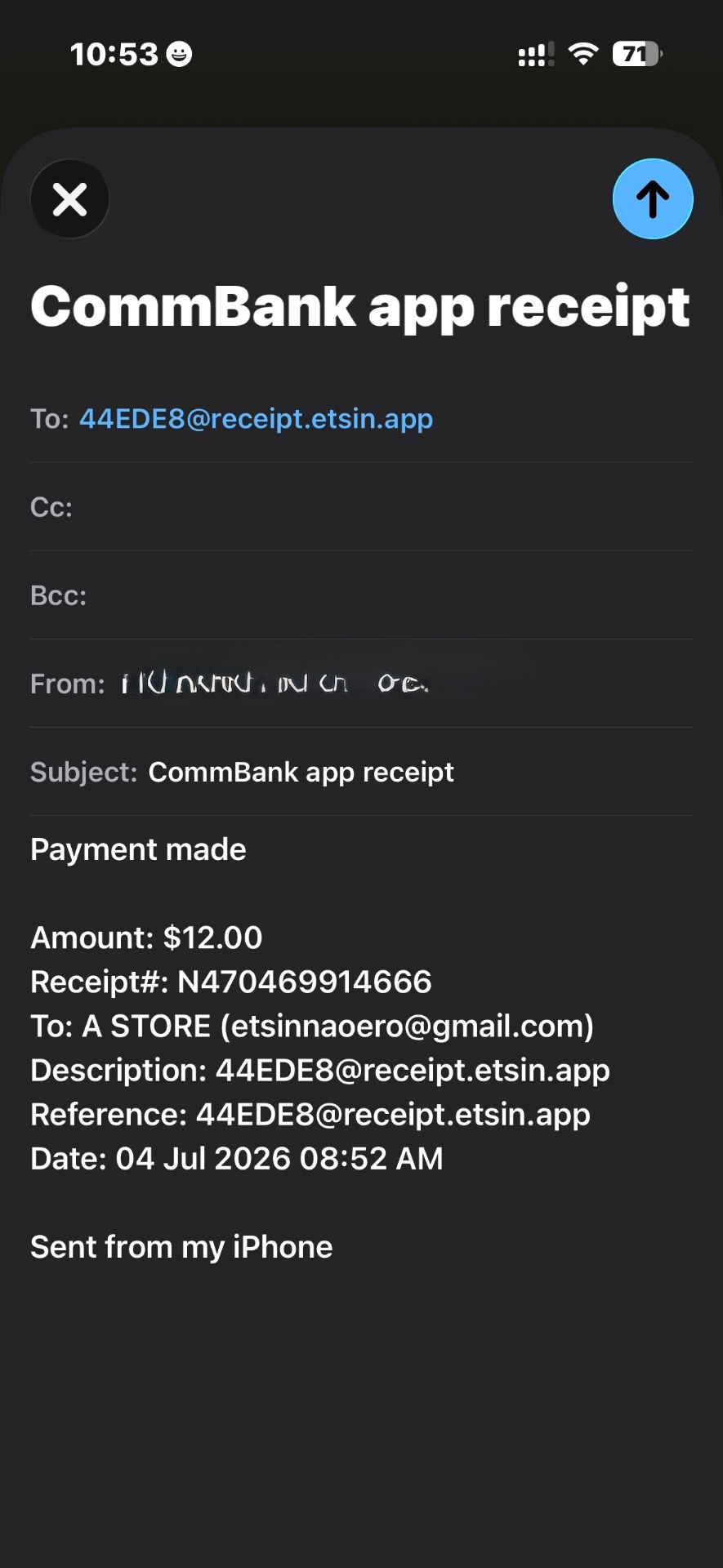
Part 3 — Back in the ETSIN FLO app
Tap "I've Shared My Receipt"
Return to ETSIN FLO after sending your payment receipt by email. Tap "I've Shared My Receipt" to notify ETSIN FLO that your payment receipt has been sent.
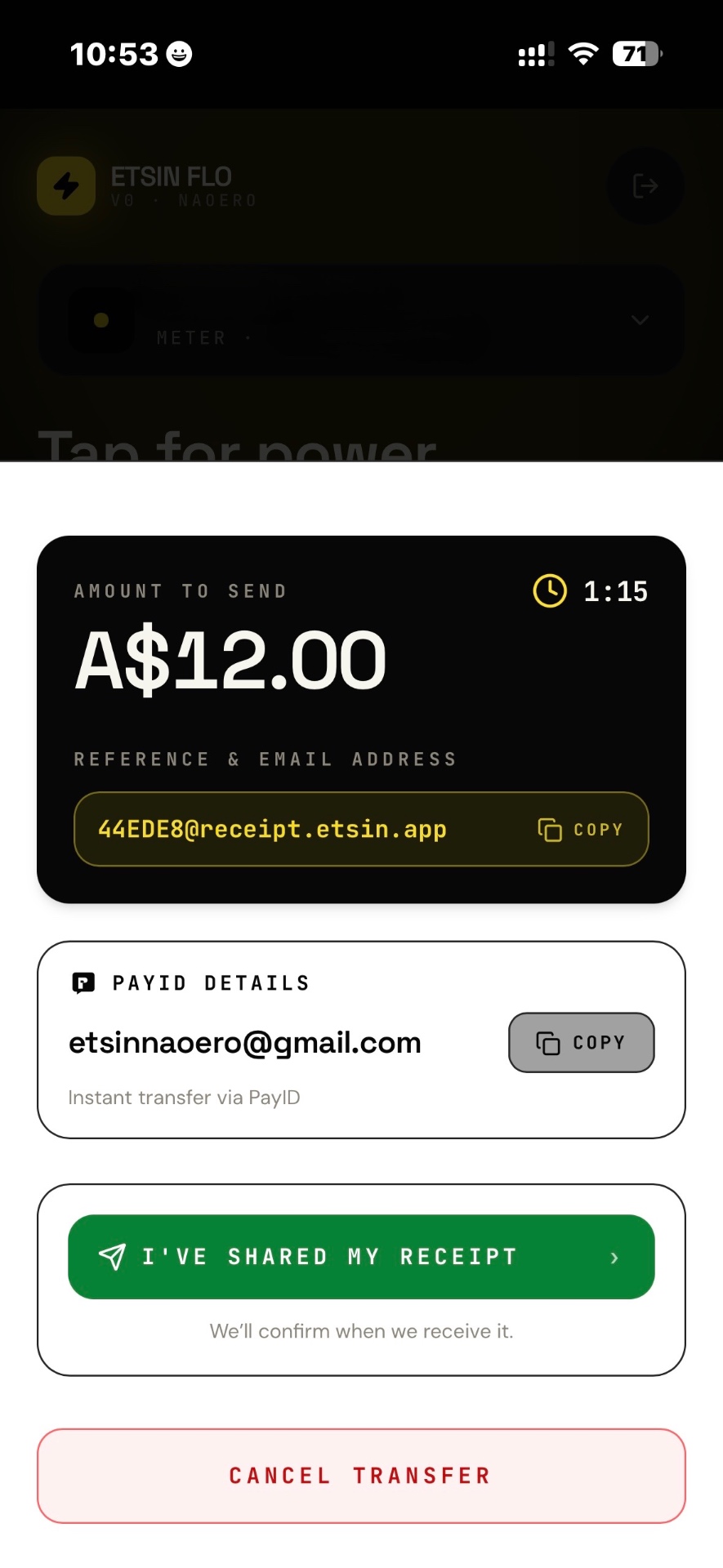
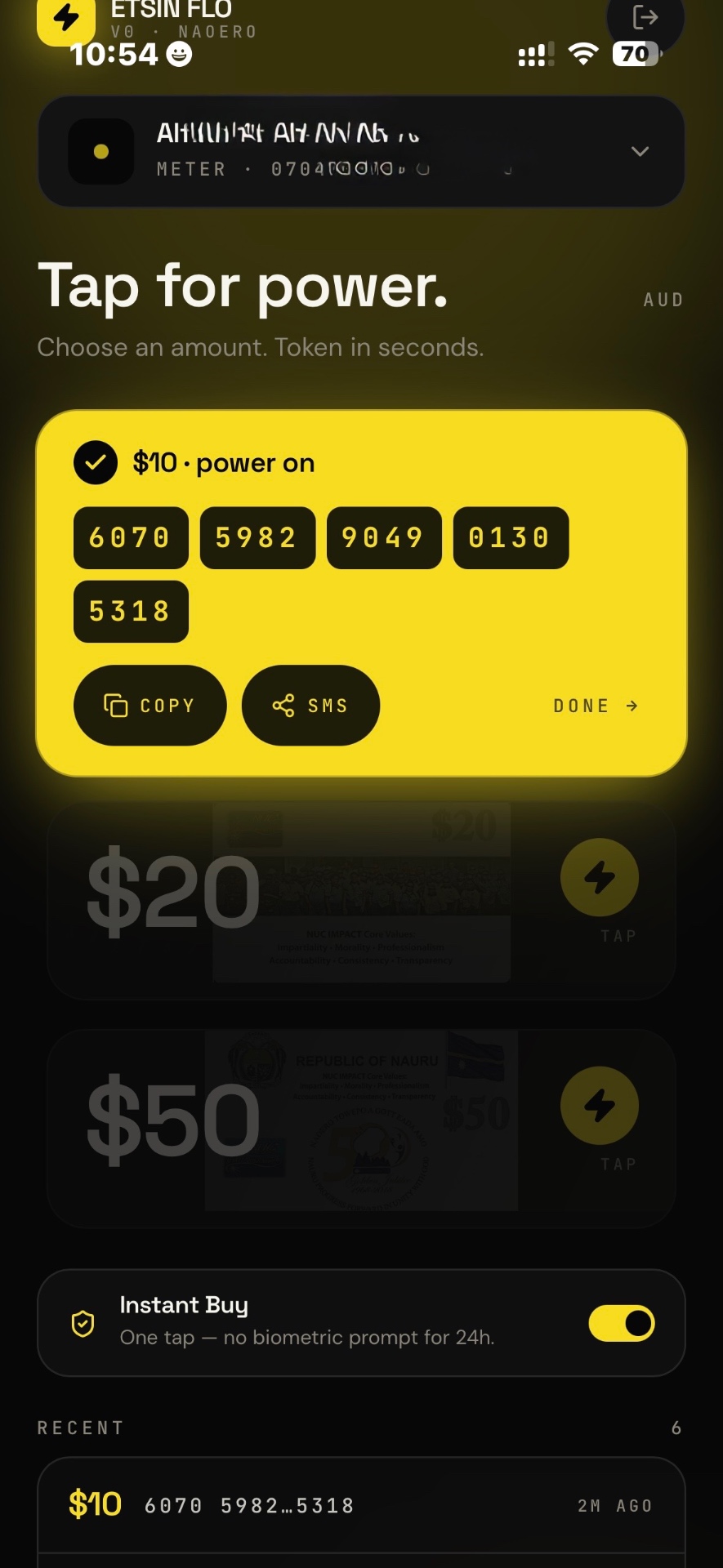
Receive Token
Your token is delivered in-app once we've verified your payment.
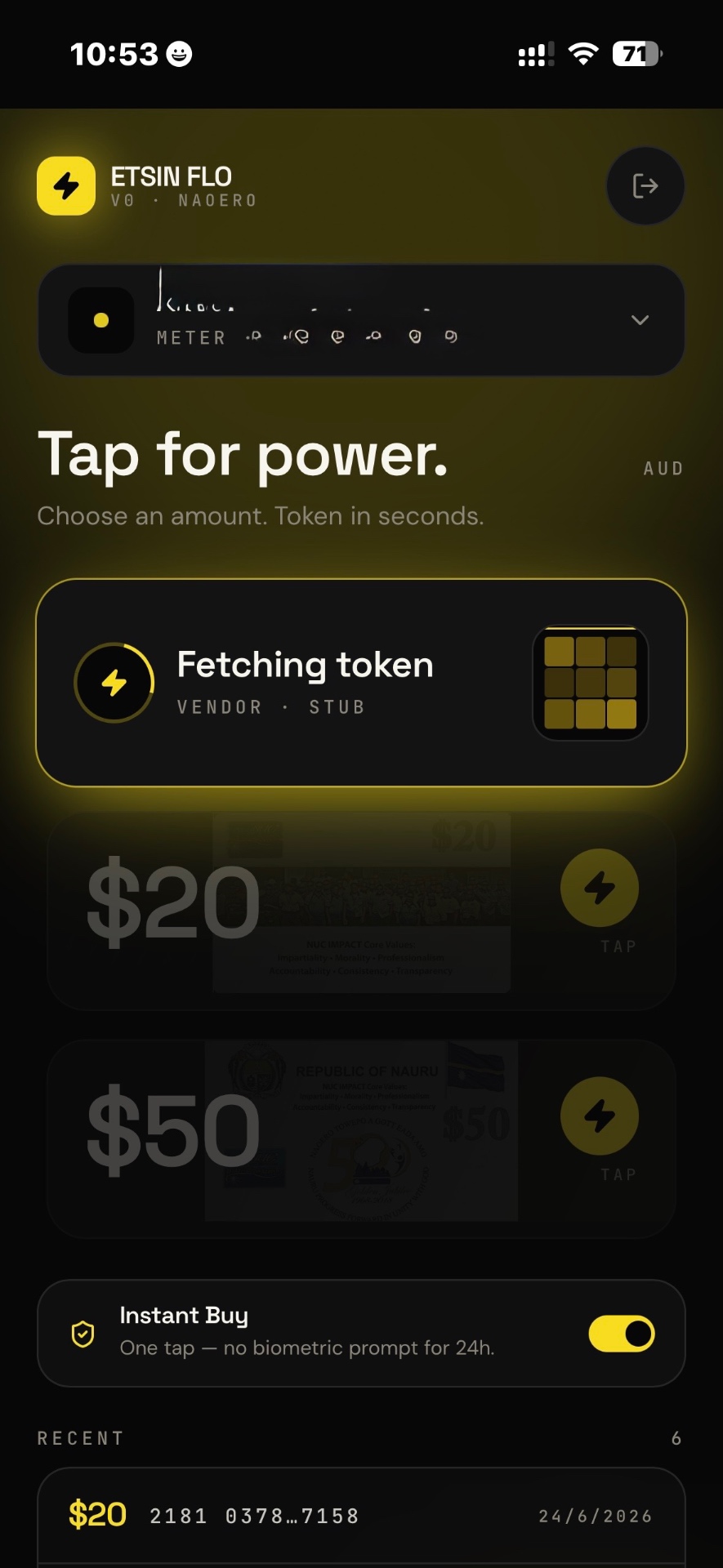
Enter Token Into Meter
Your electricity token has arrived successfully. You can enter it into your meter now, or simply tap Done and enter it later. Your token is safely stored in Recents at the bottom of the screen, where you can access it anytime.
Need More Details?
Take your time. The steps below mirror what you'll see in the app.
Part 1 — In the ETSIN FLO app
- 1aOpen ETSIN FLO
Sign in with your phone number and password. If you're new, tap Sign Up.
- 1bAdd Your Meter
Tap Add Your Meter First.
- 1cSave Meter
Enter your meter number and a name, then tap Save Meter.
- 1dPick Amount
Choose $10, $20 or $50, then tap the yellow lightning button.
- 1eSelect CommBank Payment
Tap Pay with CommBank to continue.
- 1fCopy Reference & Email Address
Copy both your payment reference and receipt email before opening Commonwealth Bank.
Part 2 — Inside Commonwealth Bank
- 2aOpen Commonwealth Bank App
Use the familiar banking app.
- 2bPaste Reference & Email Address
Paste the reference and receipt email you just copied.
- 2cMake Payment
Complete your transfer within 3 minutes.
- 2dShare Payment Receipt by Email
Forward your payment receipt to the email shown in ETSIN FLO.
- 2eReturn to ETSIN FLO
Go back to the app.
Part 3 — Back in the ETSIN FLO app
- 3aTap "I've Shared My Receipt"
We begin checking your payment.
- 3bReceive Token
Your token is delivered once verified.
- 3cEnter Token Into Meter
Power is back on.
Your order stays safe while we retrieve your token.
If your network is slow, you don't lose your place. Your token is delivered when it's ready, and our team is here if anything looks stuck.